Saturday, August 23, 2014
Lesson Plans and Resources for the New School Year
This is by no means a comprehensive list of online resources. These are simply the resources I've used the most, and a great jumping-off point for teachers looking for new ideas. Most blogs have a handy-dandy "blogroll" on the sidebar linking to THAT teacher's favorite blogs and resources for further exploration. So here are some of my favorites:
Friday, September 13, 2013
Welcome back, Lower School!
A couple of years ago, I finally purchased a Tibetan singing bowl, something I've wanted for a long time--both because there is no other sound like it in the world, and I wanted to use it as a mindfulness tool in the classroom. The kids have always loved it. I can practically see their heart rates slowing down and their focus coming back to center as they listen to it, and they enjoy raising a finger to show when each person stops hearing the incredibly long sound. This year, I've decided to start every music class with "the ringing of the bowl." This fits well with our Friends school practice of settling in, and I have a long-term plan to work on some additional mindfulness techniques and queries during this special 2-3 minutes. So far, I'm feeling much more settled MYSELF at the start of a busy class, and the kids seem more ready to focus.
Wednesday, August 14, 2013
Updating my PLN for the new year
I'm also updating my PLN and checking out a bunch of new apps and websites. One website that's recently caught my attention is Common Sense Media's Graphite. Graphite is a site for teachers, featuring reviews of computer apps, mobile apps, games, and websites for use in education. Each listing is reviewed by Common Sense Media writers, but educators can also add their own "field notes," a combination of ratings and classroom suggestions, and detailed lesson plans. The selection of resources isn't huge at the moment, since it only includes things reviewed by Common Sense Media itself, but there is a form for teachers to suggest apps and sites for review, as well as a submission form for developers. I think this site has lots of potential and I look forward to seeing it grow!
![]() |
| The Graphite beta home page |
Another PLN tool I've been enjoying this summer is a new-ish feature in the popular iOS app Flipboard, which allows you to "flip" articles into your own magazines. These magazines can be private or shared with the community. Though I'm in the habit of saving articles and lesson ideas with my all-time favorite Evernote, Flipboard offers a beautiful reading interface and the ability to view your Twitter feed (and RSS feeds, and many more) in a magazine format, with links and photos already pulled up for you into articles.
Wednesday, June 19, 2013
Using iBooks for education
Fast forward to the past school year. Some of the teachers in my Lower School have been using apps, mainly Book Creator with the assistance of Drawing Pad, to help kids design, write, and illustrate their own eBooks which can then be opened in iBooks and shared with friends and family. My own daughter absolutely loves creating these books and emailing them to me and Jos. Something about being able to "publish" your book into a shareable medium is extremely inspirational to children (and adults, for that matter! I suppose my blog falls into that category!).
| The first pages of one of Micaela's books, including disclaimers. |
Friday, June 14, 2013
The Quakers Quaver
Tuesday, February 7, 2012
Another Long Overdue Update!
- Since Winter Break, Lower School students have enjoyed playing the Boomwhackers and ukuleles, exploring musical instrument apps on the iPads (especially Isle of Tune, which is also available as an interactive website), using the interactive whiteboard to drag-and-drop notes and to play with Sibelius Groovy Music, and learning several new songs, including "What a Wonderful World," "What Can One Little Person Do," and "You Gotta Sing!"
- An enthusiastic group of Lower Schoolers sang a 3-part version of "This Little Light of Mine" at our annual Martin Luther King Day celebration.
- Each Forest and Mountain music class (3rd and 4th grade) has created a collaborative song in GarageBand. Each student came up with a melody "snippet" on their recorder or ukulele, then we combined the snippets into longer melodies, recorded them on virtual instruments, and added accompaniment. We're now adding our own recorders and ukes to the mix, but in the meantime you can have a listen:
- Lower School challenge: While creating these collaborative songs, a group of 3rd-years tried to convince me that repetition makes music boring. I have challenged them to find me a song that does not repeat ANY melody. It needs to be in a genre they might hear on the radio (not counting contemporary music hour on the classical station). They aren't allowed to write the song themselves, and it has to be a full-length song (i.e., no commercial jingles). If there's a winner, there will be a big prize!
- Middle School is nearing the end of the 2nd trimester--wow! This week is the MS play, "Inherit the Wind," which will include a performance of 4 songs by my MS Gospel Choir. It's a small group (10), but they sound awesome singing in 2 and 3-part harmony. We even have a guest fiddler! If you're local, come enjoy the show Friday or Saturday night at 7:30, or the open dress rehearsal on Wednesday.
- I can't believe I haven't already posted this, but my first Middle School Service Day with my advisee group was a blast. We made dog and cat toys and collected treats and delivered them to the fabulous Orange County Animal Shelter. Much to my advisees' delight, I (accidentally?) adopted a dog. Here is Jilly:
![]() |
| How could I resist that face??? 3 dogs is barely more trouble than 2... |
- Last week we had a Staff Development Half-Day on the topic of technology. I led two iPad workshops focused on apps for teachers to use for themselves or in teaching, but not necessarily for students. What a blast! As always, I learned as much from the workshop participants as they learned from me. If you have an interest in iPads, check out my Prezi here, or my iPad Mega List.
Wednesday, October 26, 2011
Making a Sound Effects Board with an iPad
Though I learned quite a bit to make this project go more smoothly the next time around, the first try was mostly a success. In addition to learning how much power sound can have over how we experience a story, I found myself facilitating conflict resolution and teaching some basic acoustics, too! In the end, this little story became everything from a comedy/adventure to violent horror. Groups delighted in surprising me with an unexpected sound or humorous twist.
Here is one board, ready for performance:
The story (okay to reproduce for educational purposes):
Busy busy busy!!
- LS students have been enjoying xylophones (River and Sky), recorders (Mountain and Forest), and two iPad projects in Forest and Mountain that I'll be posting on later in more detail.
- LS Forest and Mountain classes have begun planning our big project for the year, involving the entire Lower School.... (mysterious wink)
- MS Music Rotation is getting creative with their Stomp Projects, which they'll be performing later today.
- MS Musicians' Workshop students have been composing, composing, composing! Students have worked on everything from pop songs with lyrics, to sequenced techno tracks, to an ambient concept album. Stay tuned for some audio clips!
- My MS Advisee group has set goals, sent a small tornado through my house at advisee outing, and is turning the Music House into a haunted music house for our Halloween fun.
- I have started conducting the Piedmont Youth Orchestra! More on that later, too!
- I will be presenting three technology clinics at the NC Music Educators Association conference in November. These are iPads in General Music, Using What You Have: Enhancing General Music with Technology, and Using iPads to Teach a Composition-Based Curriculum.
Sunday, September 4, 2011
First Week of School!
2011-12 is off to a great start! This first week of school, my fourth at CFS, has been a very different one for two reasons. First, I've spent it almost entirely in the Middle School in preparation for my first year as an advisor (more on that in a moment). Second, my daughter just entered the Lower School as a first-grader! Hopefully I won't be jinxing anything by saying this, but M's first week of Lower School has been absolutely incredible. She has literally been bouncing up and down from the time she gets out of bed until lights-out at night. She has been slightly indignant that I hadn't revealed every detail of the Lower School to her ("WHAT??? We get to do WOODWORKING in River class???"), and she is quite anxious to start music class with me next week. I must say, that creates a bit of anxiety for me, as well. For better or worse, I will be her music teacher twice a week for the next four years and beyond!
Ever since I started teaching in the Middle School, I have wanted to be an advisor. Advisee groups are the heart and soul of the CFS MS. Much more than a homeroom or source of academic advice, each advisee group serves as a year-long (or, in many cases, 2-, 3-, or 4-year long) mixed-age family for each student in the school. Made up of 8-12 students in the 5th-8th grades, groups have long meetings twice a week, take care of their advisor's classroom each day, and can check in with their advisor any time. Advisors serve as each advisee's advocate in the MS and a first point of contact for parents and teachers. Advisee groups perform service projects together, participate together in special events (such as the famous "Egg Drop" competition on Science Day), and go on two Advisee Outings each year.
Generally, part-time staff in the MS are not advisors because advising is practically a full-time job in itself! However, my situation is a bit unusual in that I am a full-time faculty member at CFS, and my schedule is already compatible with the advisor schedule with only a little tweaking. So this first week of school, for the first time I have been an Orientation Group leader in the Middle School, instead of splitting my time visiting both units. OG's are temporary groups until everyone goes through the advisor selection process over the next two weeks. I've had a great experience with my OG so far and it will be difficult letting them go! I also REALLY miss my Lower Schoolers and can't wait to see them all next week. Teaching kids all the way from age 6 to 13+ is, for me, a favorite aspect of my awesome job, and I feel out of balance when I'm only in one unit all week.
Regular classes start after Labor Day in both units. I have lots to look forward to this year besides my advisee group! Here are a few highlights:
- I'll be going all-out with technology integration this year in the Lower School. I have acquired four iPads and one iPod touch (soon to be two) that I will be using as a regular part of my composition-based curriculum along with my interactive whiteboard, student MacBook, and donated older iMac (thanks Dad!). I'll be updating regularly on the blog and can't wait to share the results of our projects.
- I have a new resolution this year to never have a Lower School music class without singing! I'm already pretty good at this–I can probably count last year's 1st- and 2nd-grade classes without singing on one hand–but I tend to slip in the 3rd and 4th grade as we spend more time on recorders and other instruments. One of my major goals as a music teacher is to obliterate the statement "I can't sing," and I think this is a very important step.
- I'll be teaching my "Musician's Workshop" elective for the second time this Fall in the Middle School. I loved this class last Fall, but I also feel that I learned a lot of things from last year's kids that I will be able to use to create an even better experience for young musicians this year. My top goal in this class is to do a better job with differentiation, so that my beginner composers learn as much as my experienced musicians. I hope that, over time, student musicians will see this as a repeatable class they can use each year to build their skills and create exciting new projects.
- One last resolution... I will keep my blog current throughout the year instead of posting occasional gigantic updates. I won't go so far as to commit to a specific number of updates, and I won't overwhelm parents with daily updates, but I WILL post more consistently.
Here's to an exciting new year! Happy Labor Day!
Saturday, August 20, 2011
Why I teach music
Because real life isn't about test scores.
Because music has existed in all cultures since the dawn of humankind, and it is hardwired into our souls (or brains, if you don't believe in that sort of thing).
Because children can learn countless ways to appropriately and effectively express their feelings through the arts.
Because he may end up a gun-toting conservative and she a tree-hugging liberal, but they both smile while harmonizing on "You are my Sunshine."
Because, among other things, music is entertainment. Quality, thought-provoking entertainment makes people happy. Happy people make the world better.
Because the world would be a better place if everyone learned to truly, deeply listen.
Because some children will be inspired to take up a musical instrument, which teaches persistence, discipline, humility, and the rewards of hard work.
Because making music creates millions of new pathways in the brain.
Because making music brings families, friends, and communities closer together, helping us see each other as vulnerable, creative beings instead of roadblocks.
Because in a world of such frightening conflicts and lightning-fast change, we all need as many reminders as we can get that life is beautiful.
written on Emerald Isle, NC, to the sounds of the Atlantic Ocean
Saturday, June 25, 2011
iPad apps Mega-Update part 7: Non-music creative apps, social media, and readers
_____________________________________________
- Drawing Pad: There are many excellent drawing and painting apps available for the iPad. I chose Drawing Pad for this list because it is extremely easy to use, even for the youngest students. It offers a wide array of drawing tools, virtual stickers, and easy file saving and sharing.
![]() |
| Sometimes my daughter writes backwards... |
- iMovie: It is so much fun to edit movies on the iPad! iMovie for the iPad is similar in functionality to the desktop software. A must-have if you or your students make movies.
- Toontastic: This is another recent purchase. I played with it at my sister's house and I had to have it! Toontastic allows you to easily create original stories with animated characters. You can choose music, narrate the story, and customize the animations. Designed in partnership with Stanford's Graduate School of Education, Toontastic teaches principles of storytelling and the relationship between words, images, and music in an incredibly fun way. You can share your stories and watch stories from around the world via the integrated "ToonTube."
![]() |
| The Story Arc helps you organize your story, and learn the principles of storytelling. |
![]() |
| The introduction to my masterpiece, "Space Shark." |

It's this page, on Blogsy! 
My Twitter feed. 
Read It Later. 
Minimalist, and highly functional. 
Saving the tweets for the great-grandkids. 
I love the way you can layer columns, and pull them in or out of the screen. Very intuitive.
iPad apps Mega-Update part 6: Non-music-specific educational apps
_____________________________________________
- Assorted Children's Books–Cat in the Hat, Toy Story, Paco Bongo, Lilup, The Grouchies, When I Grow Up, Violet books, just to name a few: Interactive children's books are a real highlight of the App store. Many of them are what I imagined as the books at Hogwarts. The best would be excellent children's books in any form, but the iPad version is enhanced with the ability to have the book read to you (many highlight the words as they are read), have surprises in the pictures (from a wagging tail to an interactive hide-and-seek game), and some even have integrated games. Our most recent purchase, "Weird Al" Yankovich's When I Grow Up, is an instant favorite. Not only is the book read hilariously by Weird Al himself, who could resist the chance to play an embedded "Tarantula Shaver," "Gorilla Masseuse," or "Snail Racer" video game?
![]() |
| A page from When I Grow Up |
- Art Authority: A simply gorgeous app that puts thousands of works of art right in your pocket. This was my first "expensive" app purchase ($10) and it has been worth that many times over.
![]() |
| Visiting the Baroque Gallery |
- Google Earth: One of our Lower School teachers who has been the most apprehensive about the introduction of too much technology into the classroom was at the staff meeting in which our new iPads were introduced. There, she played with Google Earth. That night, she ordered her own iPad, and she was signing them out for her students the next week. Simply amazing, with countless educational possibilities.
![]() |
| I can see Russia from my house! |
- Kindle/iBooks: Amazon Kindle or Apple's iBooks? If you do all your eBook reading on the iPad, it probably makes the most sense to comparison shop, as both offer excellent reading experiences. I personally use the Kindle app, because I do a lot of my reading on an actual Kindle, and I love the ability to sync between all my devices.
![]() |
| A page of Minds on Music using the Kindle app. I have it set to Sepia. |
![]() |
| A page from Naked Eggs and Flying Potatoes on iBooks |
- NASA: Great for the space enthusiast! Find out the latest NASA news and access photos from various satellites and the Hubble space telescope.
![]() |
| Hey, I still see Pluto! |
- Netflix: If you are a Netflix member, you can stream movies and shows straight on your iPad for no additional fee. Many excellent documentaries are also available.
![]() |
| A selection of documentaries available for streaming. |
- NPR: Access news, arts and entertainment stories, and listen to NPR shows.
- Our Choice: Al Gore's Our Choice is a fantastic example of what an ebook can be, with beautifully integrated video, audio, photography, animations, and more. Learn about climate change and related global issues in an immersive way.
- PBS and PBS Kids: Access a large variety of educational programming from PBS and PBS Kids with these apps.
- Qwiki: Qwiki is an addictive educational app that is difficult to explain, so here is the description from the iTunes store: "Curious? Explore 3,000,000 topics in a format perfect for the iPad: learn about what's near you, across the world - and everything in between. Labeled 'a seed that will blossom into an Internet wonder' by the NY Times, Qwiki combines thousands of sources to present concise, interactive summaries of millions of people, places and things in an experience optimized for the iPad. Explore topics by searching or browse a worldwide map highlighting landmarks, monuments, cities, towns, and more."
![]() |
| Natural Wonders to explore in Qwiki. |
- Science 360: Science360 creates a panoramic matrix of science and engineering images from NSF funded researchers and institutions. Zoom in, and you see short descriptions. Tap on an image to open the article. It's a great way to browse the cutting edge of science.
- TED: If you haven't heard of TED, you must visit the website right now. The iPad app is a great way to browse and bookmark TED talks.
- Tour Wrist: Like Google Earth, Tour Wrist is a showcase app for the iPad. Described as "virtual teleportation," Tour Wrist has panoramas from around the world that you view by holding the iPad in front of you as if it is a window into the location. Move the iPad around for a full 360 degree view. Though many of the sites you can visit on Tour Wrist are hotel ballrooms, real estate for sale, etc., there are plenty of historical sites and natural wonders from all over the world. And if it makes you dizzy to turn around with your iPad, you can switch to touchscreen controls.
![]() |
| I'm in a French cathedral! |
![]() |
| Pointing my iPad at the floor, I see that someone was buried under me in 1231. |
- YouTube: The YouTube app comes pre-installed on iPads, and it is still one of the best ways to find videos on any topic from all over the world (plus a whole lot of trash!).
![]() |
| Who is that silly lady? |
Thursday, June 23, 2011
iPad apps Mega-Update part 5: Musical Instrument apps
_____________________________________________
- Aeolian Harp: This is a beautifully relaxing instrument that creates gorgeous images as you play. More for personal meditations than use in the classroom.
- Accordéon: This app takes over your screen and turns it into a full-sounding accordion!
- Bebot: This adorable little robot is actually a highly functional synthesizer.
- Celtic Harp: This full-screen, customizable harp has a beautiful, soothing sound.
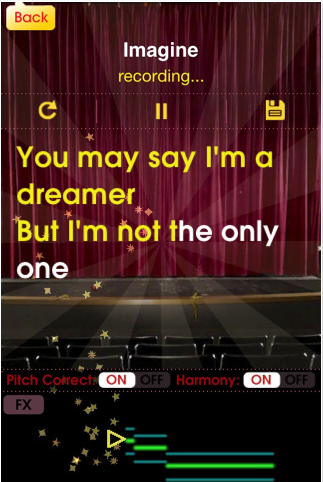
- Glee Karaoke: If you don't mind the "Glee" branding, this is the best Karaoke app for iPad. Progress through songs and try to beat your high score (based on pitch and rhythm), and listen to top performances from around the world!
- iGuzheng: A nice introduction to a popular Chinese zither. This app features beautiful demo songs and multitouch functionality for different effects.
- iTabla Pro: If you are an Indian music performer or enthusiast, iTabla Pro is an incredible practice partner. 32 fully configurable taals are available, with table, two 5-string tanpuras, a shruti box, and more. iTabla can auto-tune to match your instrument. This is yet another example of an app that exceeds the performance of a dedicated hardware device, for a fraction of the cost. As far as apps go, though, this one is pricey ($25).
- Magic Fiddle: Smule's Magic Fiddle is an expressive little virtual bowed stringed instrument. Go through a series of lessons, and share your performances with the world.
- Magic Piano HD: An assortment of simplified keyboards, "light beams" to help you play classic tunes, and a social networking component make this another addictive app from Smule.
- Melody Bell: I grew up playing handbells, so when I saw this app as part of the North Point iBand Christmas extravaganza, I had to have it! It's not a universal app, but the iPhone app looks great and is easier to play on the big screen.
- Ratatap Drums: There are many virtual drum sets in the app store, including the nice one built in to GarageBand. Ratatap is one of my favorites of the dedicated drum apps.
- ThumbJam: ThumbJam is a unique instrument designed completely for the iPad (and iPhone). 30 high-quality sounds are included, and in addition to your fingers (and thumbs!), this app uses the internal gyroscope as a controller. It also functions as a looper, and is compatible with AudioCopy/Paste. The configuration options and the fact that it doesn't rely on knowledge of real instrument technique make it excellent for the general music classroom.
- YumiSynth: This is a unique bowed string simulator, in which one hand "bows" the instrument while the other fingers the notes. YumiSynth can be a highly expressive instrument with a little practice.
- 50 in 1 Piano HD: There are probably hundreds of piano apps in the app store. Out of the ones I've tried, 50 in 1 Piano is one of my favorites. In addition to a good piano sound, it has 49 more high-quality sampled instruments, effects, drumbeat loops, and 120 piano lessons, and more.